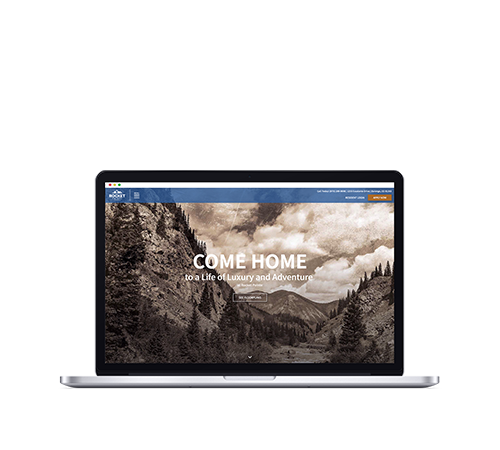
Swifty Connect is the official Swifty integration for Claude. It lets you read, audit, and update your Swifty property sites in plain English — update SEO, manage floor plans, amenities, FAQs, popups, social links, office hours, and tracking pixels; pull live performance data from Google Analytics, Search Console, Google Business Profile, and Google Ads; switch between properties in a single conversation; and batch updates across an entire portfolio. Every change is followed by an automatic cache clear.
Quick Start
Option 1 — Claude.ai (recommended)
Use Claude on the web with one-click connection. Best for property managers, marketing teams, and on-site staff.
- Open Claude.ai and click Connect next to Swifty Connect in the connector directory (or paste this URL when prompted:
https://mcp.beswifty.com/v1/mcp). - You will be redirected to
auth.beswifty.comto sign in with your Swifty account. - Approve the requested scope. You will be redirected back to Claude with the connector active.
- Try: “List the Swifty properties I can manage.”
Option 2 — Claude Desktop
Use Claude on macOS or Windows. Best for power users and developers.
- Install Claude Desktop from
https://claude.ai/download. - Get your personal Swifty API key from
https://manage.beswifty.com/user-area/?admin-page=api. - Open Claude Desktop’s settings file:
– macOS: ~/Library/Application Support/Claude/claude_desktop_config.json – Windows: %APPDATA%\Claude\claude_desktop_config.json
- Add this block under
mcpServers:
“json { "mcpServers": { "swifty-connect": { "command": "npx", "args": ["-y", "swifty-connect"], "env": { "SWIFTY_API_KEY": "PASTE_YOUR_API_KEY_HERE" } } } } “
- Restart Claude Desktop. Type a Swifty question to confirm the tools loaded.
Option 3 — Claude Code
Use Claude Code from the terminal. Best for ops, scripts, and automation.
- Install Claude Code:
npm install -g @anthropic-ai/claude-code - Add the Swifty Connect server:
“bash claude mcp add swifty-connect npx -y swifty-connect \ -e SWIFTY_API_KEY=your_api_key_here “
- Run
claudeand start asking questions about your sites.
What you can do
Swifty Connect exposes 47 tools, grouped by purpose. The tool name is what Claude calls; the second column is what it does.
Property navigation
- list_properties — list every Swifty property the connected account can access
- set_active_property — switch to a specific property for the next operations
Read content
- get_pages — every page on the site, with field names you’ll need for edits
- get_seo — title tags, meta descriptions, H1s, schema for every page
- get_site_info — sitewide name, address, phone, hours, branding
- get_property_info — property type, units, square footage, default OG image
- get_branding — primary logo, footer logo, sticky logo, favicon, map marker
- get_amenities / get_all_amenities — community, in-unit, and pet amenities
- get_floor_plans / get_all_floor_plans / get_floorplan_settings — units, prices, availability
- get_faqs — frequently asked questions, by category
- get_specials — popups and slide-ins currently active
- get_menus — header and footer navigation
- get_office_hours — leasing office, maintenance, and pool hours
- get_social_media — Facebook, Instagram, LinkedIn, X, TikTok, YouTube links
- get_gallery / get_media — gallery images and uploaded media
- get_fee_transparency — disclosed fee schedule
- get_website_configuration — sitewide configuration flags
- get_integrations — third-party services connected to the site
- get_tracking_codes — installed tracking codes (chatbots, pixels, analytics)
- get_playbook — recommended workflows for common tasks
Read analytics
- get_site_analytics — Google Analytics 4 traffic data
- get_search_console — Google Search Console queries, clicks, impressions
- get_search_performance — keyword rankings and search visibility
- get_gbp_performance — Google Business Profile views, calls, direction requests
- get_adwords_performance — Google Ads spend, conversions, ROI
Update content
- update_page_section — hero, intro, CTA, or SEO fields on a specific page
- update_site_info — sitewide name, address, phone, hours
- update_property_info — property metadata, including default OG image
- update_amenities — add, remove, reorder amenity entries
- update_menus — replace navigation (gated behind a confirmation token)
- update_office_hours — update leasing or maintenance hours
- update_social_media — update social platform URLs
- update_media — replace or update uploaded media
- update_special — update an existing popup or slide-in (destructive)
- update_faq — change a single FAQ entry
- update_integrations — connect or disconnect third-party services
- create_faq — add a new FAQ entry
- delete_faq — remove an FAQ entry (gated behind a confirmation token)
Add tracking and styling
- add_tracking_code — install a tracking pixel or chatbot via approved provider templates (35+ supported, including EliseAI, Knock, GTM, GA4, Meta Pixel, CallRail, Hotjar)
- add_custom_css — inject sanitized custom CSS
Operations
- clear_cache — clear and regenerate the site cache. Run after any change.
- batch_operation — perform the same operation across multiple properties (gated behind a confirmation token)
- confirm_operation — finalize a destructive operation that returned a confirmation token
Safety annotations
Every tool is annotated so Claude can distinguish reads from writes and surface confirmation prompts before anything irreversible happens. Read-only tools (every get_) carry readOnlyHint: true. Destructive tools (every update_, delete_*, clear_cache, batch_operation) carry destructiveHint: true. Tools that touch many properties or remove content (delete_faq, update_menus when replacing, batch_operation) require a two-step confirmation: the tool returns a single-use 5-minute token, Claude tells you exactly what is about to happen, and only after your approval is confirm_operation(token) called to execute.
Troubleshooting
“Not authenticated” or “Bearer token required”
You are not signed in to Swifty Connect. In Claude.ai, click Connect on the Swifty Connect listing and complete the sign-in flow. In Claude Desktop or Claude Code, your SWIFTY_API_KEY is missing from the config — get it from https://manage.beswifty.com/user-area/?admin-page=api and add it to the env block.
“No property selected”
Run list_properties first to see the IDs you can access, then set_active_property with one of those IDs. The connector keeps an active property per conversation.
“Tool not found” or “edit_page not found”
Claude is calling a tool name that doesn’t exist on Swifty Connect. Tell Claude to call get_playbook to see the canonical tool names. The most common mistake is edit_page — the real tool is update_page_section.
A write succeeds but the site doesn’t update
After every write, the connector calls clear_cache automatically. If you still don’t see the change after 30 seconds, refresh hard (Cmd-Shift-R or Ctrl-Shift-R). For floorplan or pricing data, the cache clear can take up to two minutes since it regenerates JSON snapshots.
“Invalid master API key” on FAQ create or update
This is a known backend authentication issue we are tracking. Until it is resolved, FAQ creation and update via Swifty Connect is blocked. Email support@beswifty.com and our team will make the change for you within one business day.
“Tracking code addition is currently restricted”
add_tracking_code is limited to 35+ approved provider templates (EliseAI, Knock, GTM, GA4, Meta Pixel, etc.) for SOC 2 reasons. If your provider isn’t on the supported list, email support@beswifty.com to request a new template.
A popup or slide-in doesn’t update with update_special
The special_id parameter is 1-based, not 0-based. If you see “No special was found”, check the id field on the response from get_specials and pass that value directly.
Updates worked yesterday and broke today
If reads still work but writes fail intermittently, your MCP transport may have disconnected. Have Claude re-list the available tools (this happens automatically when a new conversation starts, or you can force it by asking “What Swifty Connect tools are available?”). If the issue persists, email support@beswifty.com.
OAuth redirects to a “Login is not yet available” page
You may be testing during a maintenance window. Try again in 15 minutes, or contact support@beswifty.com if it persists.
Privacy, security, and compliance
- All traffic is HTTPS-only (TLS 1.3 where the client supports it).
- OAuth 2.0 with PKCE is used for Claude.ai authentication. Your password never leaves Swifty.
- API keys for direct Claude Desktop / Claude Code use are scoped per-user and revocable from
https://manage.beswifty.com/user-area/?admin-page=api. - All API calls are logged on Swifty’s backend (
api.beswifty.com) and on the MCP layer for change attribution. - Swifty’s Privacy Policy:
https://beswifty.com/privacy-policy/ - Swifty’s Terms and Conditions:
https://beswifty.com/terms-and-conditions/
Support
- Email:
support@beswifty.com - Swifty client portal:
https://manage.beswifty.com - Connector status and known issues: this page
We respond to support requests within one business day. For Anthropic Connector Directory review questions, email jon@criterionb.com and we will respond same day.